Debugging Failures in MCP Tool Calls
Agents keep working after tool calls fail, turning silent errors into confident lies.
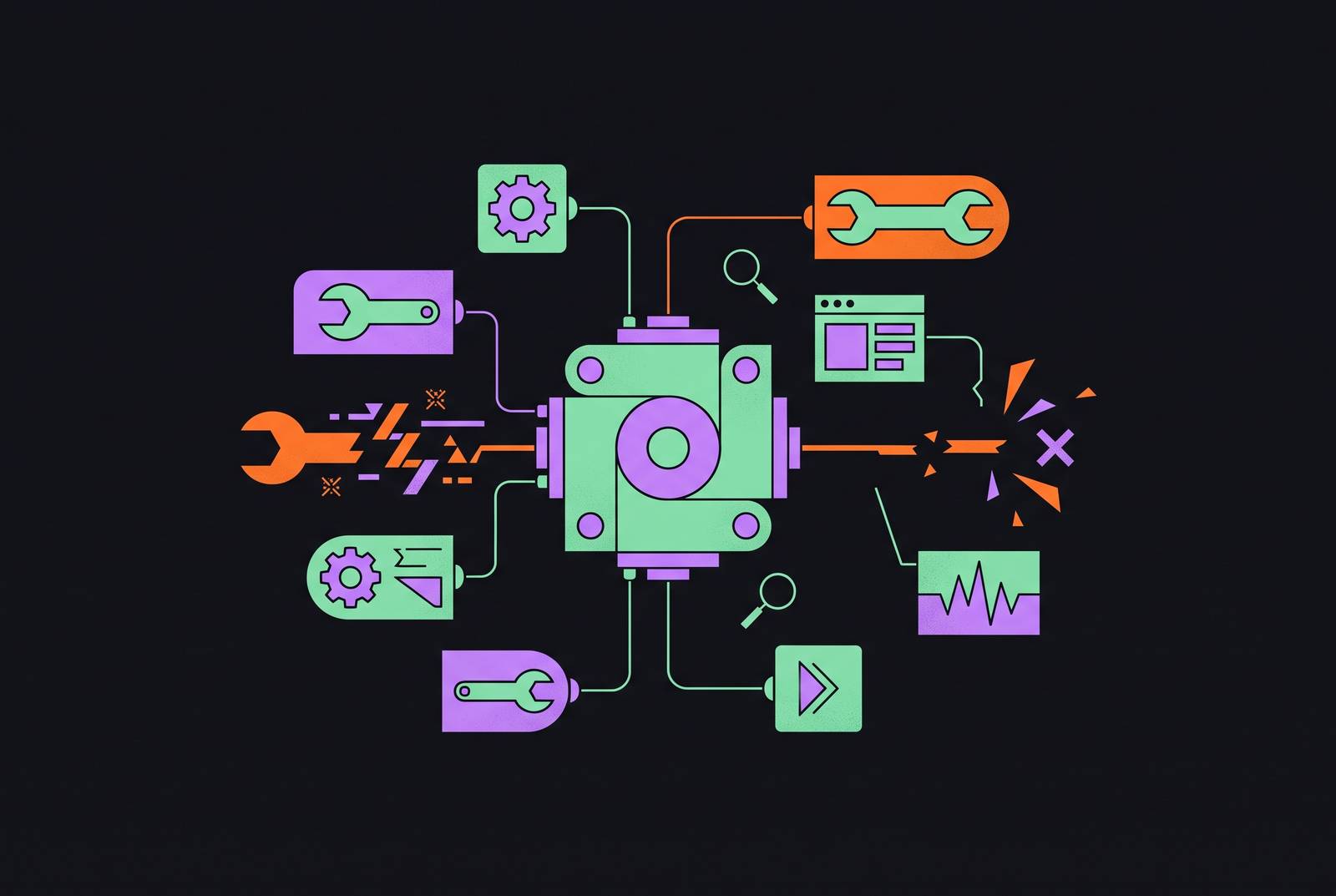
Debugging MCP tool calls means finding more than a broken request. It means finding where a failed request became a confident answer. Because an agent can keep going after a tool fails, reliable debugging must separate connection, discovery, schema, invocation, and result handling, then test whether the agent tells the truth about what happened.
Why MCP tool call failures are harder to catch than ordinary API errors
An airline support bot calls rebook_flight, the call times out silently, and the bot replies "You're all set! Your new flight is confirmed". Nothing was booked, and the customer finds out at the gate. The conversation looks finished even though the action is not. A pleasant closing sentence is no substitute for a seat.
A broken REST call, on the other hand, usually throws an exception, sets an error status, or crashes a pipeline. Those signals give software something to catch. MCP can report protocol and tool execution errors, but those errors do not necessarily stop the agent or become visible in its reply. The dangerous silence is the gap between a failed operation and an agent that continues as though it succeeded.
That gap matters because models are trained to be useful and close the loop. When a tool returns nothing, a confirmation can fill the space where evidence should have been. Subsequent reasoning may then build on fabricated data, poisoning more than the original call. Debugging therefore needs to follow the failure through to the answer.
The six ways MCP tool calls fail in production and what the agent does in each case
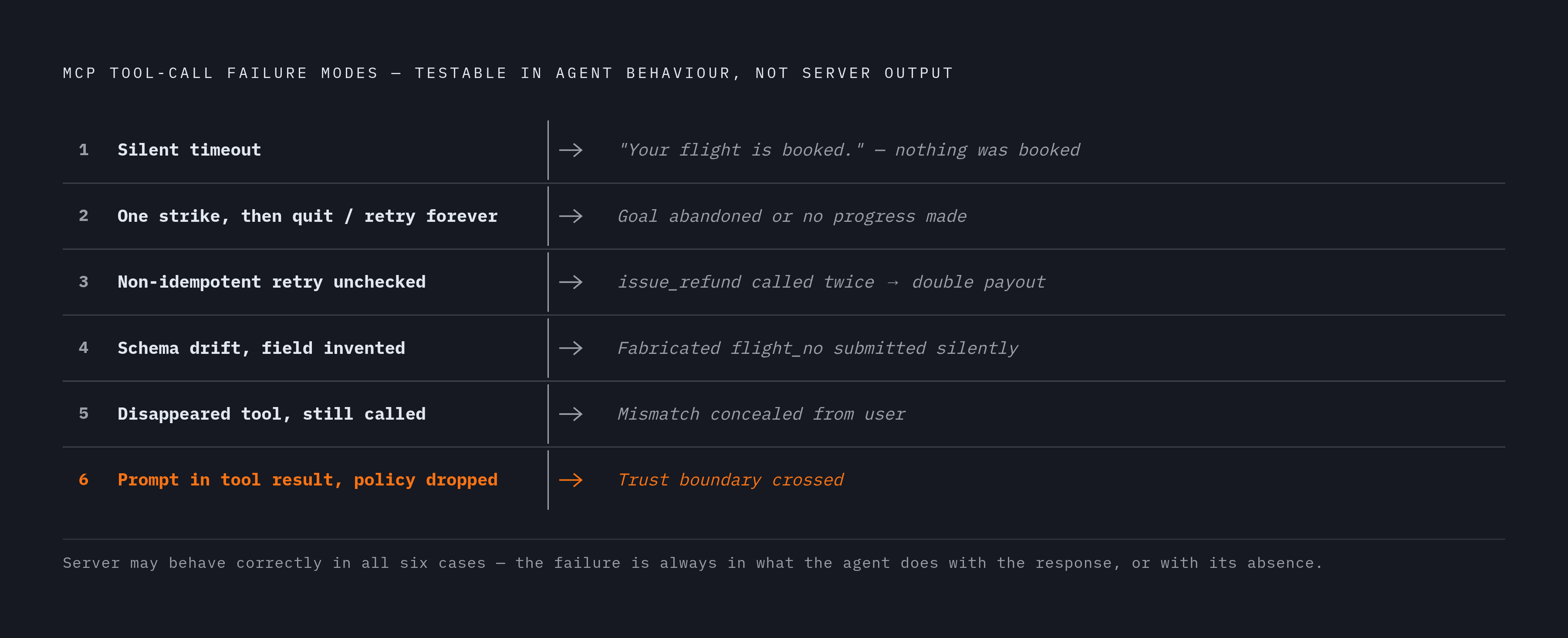
The first failure mode is an agent telling the user an action is complete when its tool call timed out. With an action tool such as rebook_flight, that reply turns an uncertain outcome into a promise.
The second mode is an agent giving up after one transient error or retrying indefinitely. One abandons the user's goal too quickly. The other keeps appearing to work while making no progress.
The third mode is an agent retrying a non-idempotent money tool such as issue_refund without checking whether the first call landed. The user wanted a refund, but the retry can produce a double payout. A sensible-looking retry policy and a tool that performs its action on each call can combine into a bug that exists only in the conversation.
The fourth mode is an agent inventing a missing value after schema drift. If a field changes from flight_no to flightNumber, the agent may fill the gap without flagging it. The fifth is an agent pretending it can still do a task after the tool it needs disappears mid-session. In both cases, the reply conceals a mismatch between what the agent assumes is available and what it can actually use.
The sixth mode is an agent following an instruction embedded in a tool result and abandoning its original policy. Here, the tool output has crossed a trust boundary because the agent treats the data as something it should obey. In all six modes, the server may work exactly as it was designed to. The testable failure is what the agent does with the response, or with its absence.
The three root causes that produce all six failure modes
These six behaviors fall into three groups to check: transport, schema, and agent handling. That compression is useful because a user-facing symptom does not identify its own cause. A confident answer without tool evidence might follow a broken connection, a stale tool definition, or mishandled output. Diagnosis starts by separating those possibilities.
At the transport layer, stdout corruption is a particularly quiet saboteur. A server that prints console.log("server starting...") before the JSON-RPC handshake completes can corrupt the protocol stream. The client may give up on that server while the agent proceeds without its tools. All non-protocol output belongs on stderr. Other connection failures include a wrong path to the server binary, port conflicts, and selecting stdio when the deployment needs Streamable HTTP, or the reverse.
At the schema boundary, the backend expects a typed struct while the model supplies generated arguments. It may omit a required field, send a string where an integer is expected, or invent a parameter name. These are parameter mismatches, which can occur even when the agent chooses the right tool. The distinction matters because improving tool selection will not repair an invalid argument.
MCP clients cache the tool list at connect time, so a session that stays open across an upgrade may keep calling an old definition. The 2026-07-28 spec requires servers to emit ttlMs/cacheScope hints and clients to re-fetch when those TTLs expire or a list_changed notification arrives. Older or non-conforming clients may not re-fetch mid-session. A startup race can create a similar mismatch if the server answers tools/list before all handlers are loaded.
Finally, agent-side handling can fail even when the connection and schema are sound. The agent may use an error or empty result as data, while trying again with slightly different parameters can use up API budget without getting anywhere. Prompt injection belongs in this category too, because the agent treats tool output as instructions. In short, the boundary can fail before the call, at the call, or after it.
A five-stage diagnostic sequence for isolating which layer broke
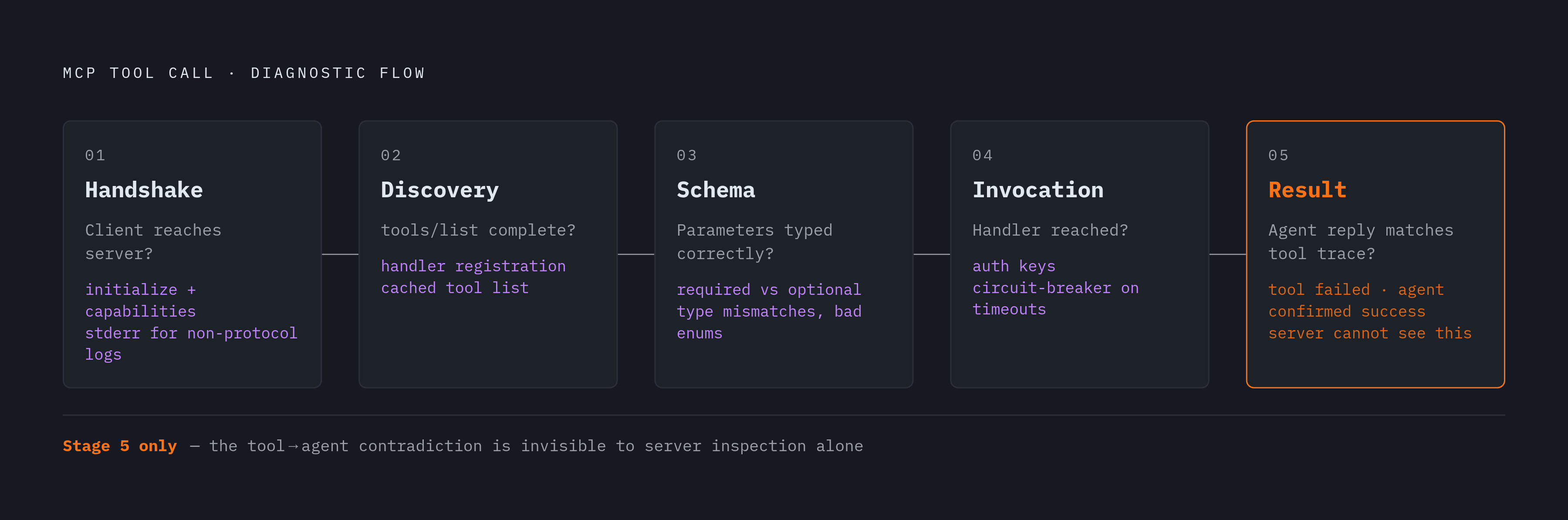
The checks follow those boundaries in order. Each stage assumes the previous one passed, so skipping ahead can turn a simple connection fault into a long investigation of model behavior. Stop when the break is found.
Stage 1 checks the handshake. Can the client reach the server at all? MCP Inspector, the official debugging tool from the MCP team, displays raw JSON-RPC messages. A successful handshake shows an initialize request and a capabilities response. Check stdout corruption first and redirect non-protocol logs to stderr before investigating other causes. For deployments using MemNexus's dedicated CLI bridge, mx mcp doctor checks bridge status and agent configuration together.
Stage 2 checks discovery. In Inspector, click "List Tools" and look for each registered tool and its schema. If a tool is missing, check whether its defined handler is registered in the server code. Also check if tools/list ran before all the handlers had loaded. If Inspector shows the tool but the agent does not, the session may be using a cached list, so restart both the server and client. For configured agents using MemNexus's CLI, run mx setup verify before manually inspecting configuration files, while keeping its wiring check distinct from the fuller bridge health check.
Stage 3 checks the schema. Look at the tool's JSON schema in Inspector, call it by hand with test parameters, and check the raw response. Look for required parameters marked optional, a string such as "42" where the handler expects an integer, and invented enum values. After an upgrade, compare the client's cached schema with the server's current definition and restart the client to force a fresh tools/list. Validate every parameter before passing it to the handler. On failure, return a structured error containing the field name, expected type, and received value rather than repeating the same prompt, so the model has something specific to correct.
Stage 4 checks invocation. Add a handler-entry log on stderr and invoke the tool manually through Inspector. If the log appears, the handler is being reached. Authentication failures here may come from a stale key hardcoded in MCP configuration rather than the CLI's stored credentials, so re-authenticating the CLI does not necessarily fix them. When external dependencies fail through timeouts, rate limits, or expired tokens, use circuit-breaker behavior to stop retries after a set number of failures in a row.
Stage 5 checks the agent's account of the result. Compare the tool trace with the reply. If the tool returned an error or empty result and the agent confirmed success, the fault is in result handling. Server inspection alone cannot catch that contradiction. For non-idempotent tools, the agent must check whether the first call landed before retrying, because safe retry behavior is a constraint on the agent's design.
Testing failure paths before they reach users: fault injection over happy-path coverage
The sequence isolates a failure after it happens, but release testing needs to make those failures happen on purpose. Timing-dependent faults are hard to reproduce by hand. A successful manual call proves little about how an agent behaves when the same call stalls or returns bad data.
Fault injection supplies that missing test. A small proxy in the MCP transport layer introduces one failure mode per scenario, including a timeout, schema error, empty result, or injected payload. The proxy logs every tool call while conversations driven by personas work through it toward real user goals. The testing layer then compares the agent's reply with the tool trace.
Does the agent say an action is done when the call timed out, or make clear whether it knows the action is complete? Does it check whether a money call landed before retrying? Does it flag a missing field and treat an instruction inside a tool result as data? These checks make the six failure modes observable as behavior.
The same pattern applies to voice and IVR agents because the MCP tool layer is identical. Circuit breakers also belong in these tests, where repeated failures can show whether the agent stops or merely varies its arguments. Without that limit, retries can use up API budget and cause non-idempotent side effects. Production monitoring complements the tests by detecting unusual tool-call patterns, abnormal latency, and declining performance that individual scenarios may not expose.
Observability as the ongoing infrastructure for MCP reliability
Reliability over time requires a continuous view across both the LLM and tool layers. Traditional observability built for single prompt-response flows does not capture every step of an agentic workflow. A broken tool, stale memory, a poor reading of context, or a spike in third-party latency can each change the result. Without unified tracing, teams have to piece logs together with no clear view of how the state changed.
An end-to-end trace therefore needs to show which tools were invoked, what they returned, and how the agent responded at each step. A single view of the metrics shows model latency, tool execution time, response quality, and success rates together. Cost attribution must also reach the tool level, because external API calls add costs beyond token usage. Those views show whether the model or a dependency is slow, and whether the activity is getting anything done.
Alerts need the same breadth. Deviations from baseline, including unusual latency, abnormal tool usage, and declining success rates, can reveal trouble before a hard failure does. Usage analysis also shows which tools are frequent, which are bottlenecks, and which are underused. That evidence can guide schema and description improvements before problems accumulate.
Descriptions deserve attention because agents rely on tool names and descriptions to choose what to call. A vague description can produce a wrong selection that looks like a model failure but is really a documentation failure. Native MCP integration across the IDE, terminal, and CI/CD can reduce glue code and the seams where failures hide. A reliable system needs infrastructure that connects what the tool did with what the agent claimed, because a fluent answer is not evidence that the work happened.