Cursor vs GitHub Copilot for AI-Assisted Engineering Teams
Synchronous agents in editors versus asynchronous agents on platforms.
A year ago, teams looked at these two tools and reached different conclusions than they do today. The shortlist hasn't changed, but the question has. The old comparison asked which tool writes better inline suggestions. The new question asks which architecture can plan, execute, and verify multi-step work across the whole development lifecycle. That is the question this piece explores, and the answer depends on how a specific team ships code.
Why this comparison has shifted from autocomplete quality to agentic architecture
Autocomplete quality no longer differentiates these tools. Both have converged on a similar completion core, and any gap there keeps narrowing with every release. What separates them now is the architecture around the completion: how each tool plans work, runs it, checks it, and hands results back to a human.
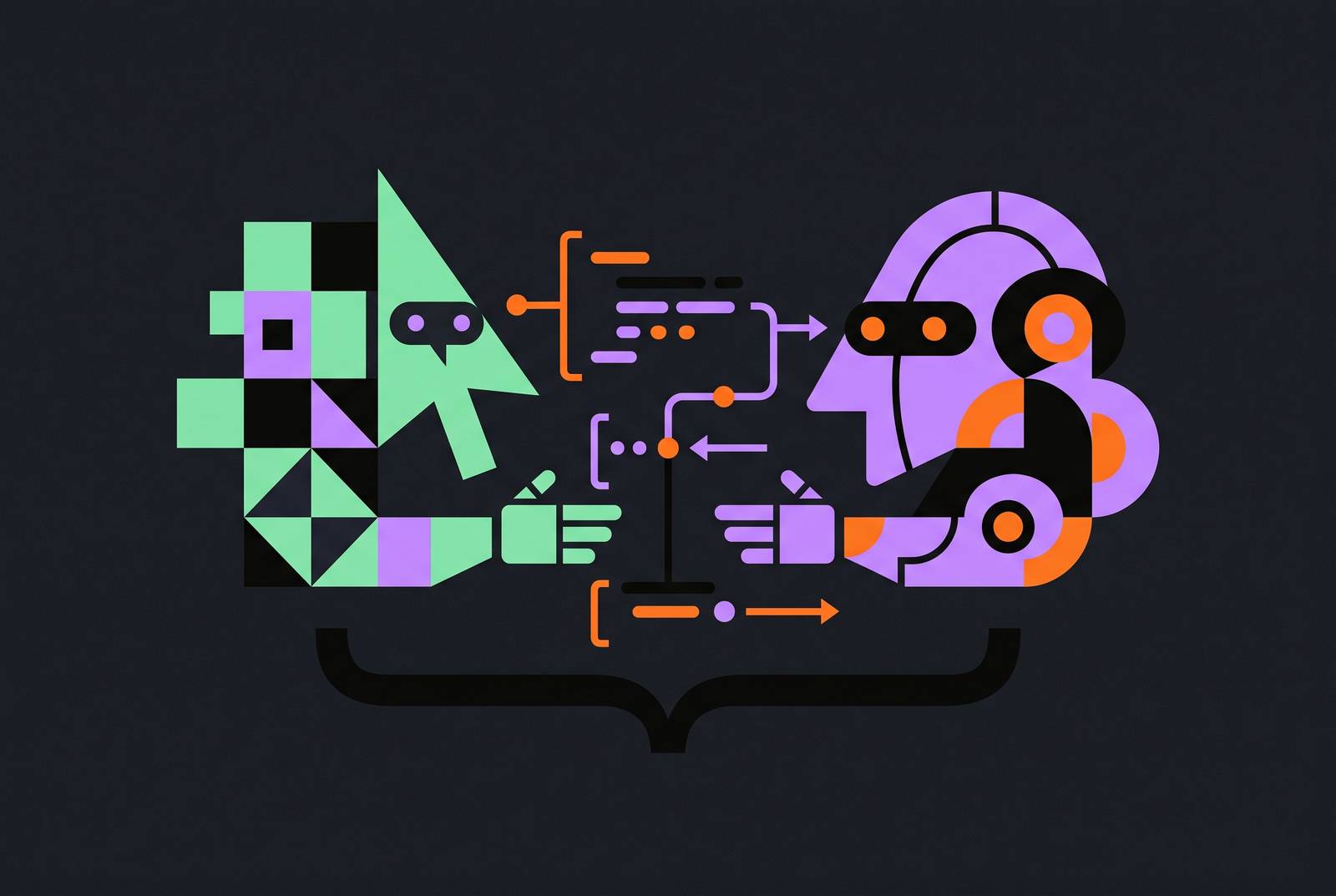
Two distinct agent modes define the split. One is synchronous: the developer stays in the loop, the agent edits inside the IDE, and it waits for feedback before moving on. The other is asynchronous: a cloud agent picks up a ticket, works a branch, and opens a pull request without anyone watching.
That distinction maps almost exactly onto the two products. Cursor built a standalone AI-native editor on a VS Code fork, which lets agentic workflows sit deep inside the editor itself. Copilot is an extension layer over whatever editor a developer already uses. The split ripples through context handling, multi-file editing, team rollout, and cost.
How Cursor's agent model works: synchronous, editor-centric, developer-directed
The question to ask here is simple: how does control flow between the developer and the agent? In Cursor, you set the autonomy level for each session before work starts. Nothing gets handed off to a background process until you make that choice.
Composer, now at version 2.5, is the primary agent. You describe a task in plain English, point it at specific files or the whole project, and it plans the edits, runs them, runs tests, and iterates. The autonomy slider determines how much approval each step needs. You can require approval on every diff, one file at a time. You can let changes apply across multiple files with a single review at the end. Or you can let it operate fully autonomously and surface results only when done or stuck.
That per-session control is the practical version of a simple principle: developers should decide how much independence to give the AI. Cursor 2.0 pushes this further with up to eight parallel agents. Cloud agents run on remote infrastructure, so parallel tasks don't block a local machine. You can work on one branch locally while a cloud agent works another.
Cloud agents still live inside Cursor. BugBot extends the surface to pull request review, running on usage-based billing. Background agents are not a rounding error: roughly a third of Cursor's own merged PRs reportedly come from these, per CEO Michael Truell.
How Copilot's agent model works: asynchronous, platform-native, GitHub-rooted
Copilot's agent model is built around the GitHub platform graph rather than the editor. That gives it structural advantages in asynchronous, issue-driven workflows. It also gives it structural limits in synchronous, editor-centric ones.
The advantage is real. Copilot can see the full GitHub-native software graph: issues, pull requests, Actions, reviews, repositories, and CI/CD history. For a team organized around GitHub issues and PRs, that context is already there. No configuration required.
The volume tells part of the story. GitHub counted more than one million pull requests created by its coding agent between May and September 2025. That is not a pilot program. It's production-scale autonomy.
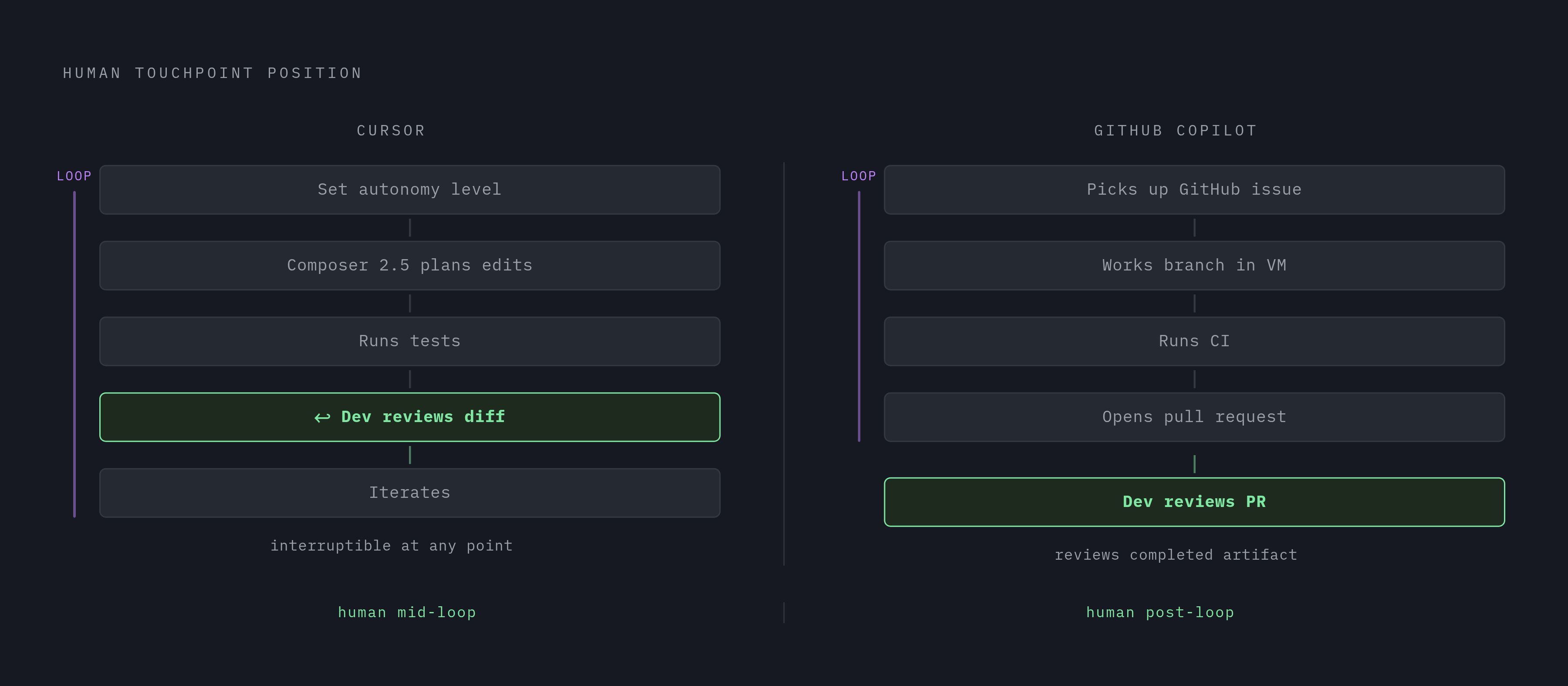
Plan mode matters here. Before the agent writes any code, the developer can review its strategy. It's an opt-in checkpoint before autonomous execution begins. But once work starts, the agent operates in a VM, works the branch, and opens the PR. The developer reviews a completed artifact.
Think of it as a different philosophy rather than a weaker version of Cursor's. Copilot isn't less agentic. The agent runs further from the developer, but it fits a workflow where work arrives as issues and leaves as merged pull requests.
What self-correction loops and multi-step verification actually look like in practice
The practical test of an agent's depth is whether it can generate code, run tests, analyze failures, fix the implementation, re-run tests, and present a final diff without the developer intervening at each step. Both tools do this today, in different execution contexts. Cursor's self-correction loop runs inside the editor session. The feedback cycle is visible and interruptible at any point. That matters for oversight: the developer sees the missteps, not just the result.
Copilot's loop produces a more complete artifact for review. You see the pull request the agent opened. What you see less of is how it got there.
Consider a concrete example: a regression with a failing test. Both paths reach the same output. The human touchpoints differ.
The developer's role is shifting from writing code to specifying what to do and verifying what was done. That is true for both tools. The verification surface differs: Cursor's is the diff in the editor, Copilot's is the PR on GitHub.
Context window, model access, and why codebase awareness shapes agent output quality
Model choice matters less than how well the tool wraps the model in codebase context. That's the central claim here, and it's worth sitting with. Every major model is now strong at code. The question is what the agent can see when it works.
On large-codebase tasks, Cursor's semantic indexing and extended context window give it a structural advantage regardless of which model sits underneath. A wider context window means the agent can hold more of the repository in view when planning multi-file changes. For cross-module refactors, that directly affects output quality.
Model access tells a different story. Cursor offers Claude, GPT, Gemini, Grok, and its own Composer 2.5, swappable per task. The practical question is not which tool offers more models. It's which tool makes the right model easy to reach for a given task.
Independent benchmarks exist but disagree. Results vary by task type and benchmark version, and both products update constantly. Treat this as a contested, fast-moving picture rather than a settled ranking.
How workflow integration — terminal, CI/CD, GitHub, and Slack — determines which tool fits a given team
Integration fit is not a secondary consideration. For most teams, it's the deciding factor. A tool that requires constant context-switching or custom wiring adds overhead that eats the productivity it was supposed to create.
Copilot's integration advantage is structural and native. Dependabot, CodeQL, GitHub Actions, and the full GitHub issue-and-PR graph connect without configuration. If a team's daily workflow revolves around GitHub PRs and CI pipelines, Copilot fits without friction. Its coding agent picks up CI failures and iterates on fixes autonomously, pushing updates to the open PR. No additional tooling needed.
Copilot CLI is generally available for terminal-first developers who want agent capabilities without an editor open. Cursor ships a CLI too, and cloud agents extend execution beyond the local machine. Slack, Linear, Datadog, Stripe, browsers, and other tools are reachable through the MCP marketplace, but they require configuration.
Enterprise governance in Cursor is real: admins control which models and MCP servers agents can reach, set system-level agent rules, allow or block repositories, and pool agent usage across the organization. It requires setup. Copilot's governance is more embedded in the platform.
Rollout friction is asymmetric. For teams not centered on GitHub, though, using GitLab or Bitbucket or a custom CI/CD setup, Copilot's native advantage shrinks considerably. Cursor's MCP-configurable approach becomes relatively more attractive.
Pricing structures for teams and enterprises, and what the billing model reveals about each product's direction
Both tools have moved from flat per-seat pricing to usage-based billing layered on top of seat fees. That means the real cost for agent-heavy teams is determined by how much autonomous work they actually run, not the headline price per seat. The billing architecture itself signals direction. Cursor's usage-based token rate on third-party models reflects a tool whose value scales with agent intensity. The more autonomous work you run, the more value you extract, and the more you pay. Copilot's credit system with a budget cap reflects a platform managing cost predictability for large enterprise deployments.
So how should a team evaluate? On actual agent usage and accepted task output, not on seat price alone. A cheaper seat that runs fewer agents may cost more per shipped feature than a more expensive seat that automates more of the work.
Ownership context matters for procurement conversations. SpaceX completed its acquisition of Cursor on August 14, 2026. Copilot remains under Microsoft and GitHub. Both tools now belong to large parent organizations, which shapes roadmap influence and enterprise vendor relationships in ways that will play out over years.
Cursor Rules, prompt engineering at scale, and how teams govern autonomous agents
The productivity ceiling for agent-heavy teams is set not by the agent's raw capability but by how well the team governs what the agent is allowed to do and how it is instructed to do it. Cursor's rules system is the primary lever for this at scale. Cursor Rules define persistent instructions that apply to every agent interaction. The current approach uses a .cursor/rules/ directory containing .mdc rule files, each with its own scope. Rules can always apply, auto-attach when files match a glob pattern, get picked intelligently by the agent, or attach manually. This mechanism turns individual developer preferences into team-level consistency.
Leading engineering organizations treat these rules like production code. They store them in version control, review changes through pull requests, and assign ownership of rule files to senior engineers. The old single .cursorrules file is considered legacy and will be deprecated in favor of this directory-based approach.
For complex multi-file tasks, a recommended prompt structure helps: goal, context, constraints, examples, output format, verification. Ask for a plan before implementation on anything that touches multiple files. It's faster than cleaning up a partial implementation. The plan-then-implement loop is the most consistently effective pattern for non-trivial agentic work.
Autonomy management is the hardest practical challenge at the team level, and it applies to both tools. As agents handle more of the writing, developers spend more time reviewing, guiding, and orchestrating. The skill set shifts. Teams that don't adapt their review processes see AI-generated work degrade in quality.
Copilot's governance surface is different. Plan mode offers a checkpoint before the agent writes code. Native Dependabot and CodeQL integration provides automated security review on AI-generated PRs. The governance is more embedded in the platform and less configurable at the prompt level.
What the productivity evidence actually supports, and where the gaps remain
The evidence on AI coding productivity is real but contested. The gap between vendor claims and controlled measurement is large enough that teams should run their own trials rather than inherit either the optimistic or the pessimistic reading. Vendor-cited studies show substantial gains in specific task types. Duolingo reported speed improvements for engineers new to a codebase and for experienced developers. But these measure particular tasks under particular conditions, not team throughput across a quarter.
Controlled research tells a more complicated story. A METR randomized controlled trial found experienced open-source developers were slower with early-2025 tools despite perceiving a speedup. A later METR update estimated the same group had moved to a modest speedup, which METR itself called unreliable.
A cross-sectional analysis of 470 open-source GitHub pull requests found median PR throughput gains well below vendor headline figures. AI-coauthored pull requests contained meaningfully more issues than human-written code. The verification overhead is real and must factor into any net productivity estimate.
Does this mean the tools don't work? No. It means agent-heavy workflows shift where engineering time goes, not just how much of it is spent. Less on initial writing.
Teams that plan for this shift see better outcomes than teams that assume raw speed gains transfer directly to shipping velocity. Implementation costs add engineering time regardless of tool choice: onboarding, CI/CD integration, governance configuration, rule maintenance. Pilot on actual agent usage and accepted task output, not a one-week impression.
Which team should choose Cursor, which should choose Copilot, and where the decision is genuinely close
The decision is not about which tool is objectively better. It's about which agent architecture fits the way a specific team actually ships code. Choose Cursor when the team wants synchronous, editor-centric agents where the developer controls autonomy per session and stays close to the iteration. The team is willing to invest in Cursor Rules configuration and MCP wiring in exchange for fine-grained control. Startups, ambitious product teams, and enterprises that have already accepted the migration cost fit here.
Choose Copilot when the team's workflow is organized around GitHub issues, PRs, and Actions. The asynchronous, platform-native agent model fits without additional configuration. Developers work across multiple editors, and a plugin-based approach avoids migration. Native security integration through Dependabot and CodeQL is non-negotiable. The team wants predictable, budget-capped agent spend with admin controls at the cost-center level.
The decision is genuinely close in a few places. Teams evaluating cost at scale face a real trade-off: Copilot's lower per-seat price is offset by Cursor's potentially higher agent productivity on intensive tasks. Teams in regulated industries need to verify each vendor's data policy against current documentation. Copilot's April 2026 training policy change is relevant context for personal plan users.
The Gartner positioning crystallizes the distinction. In its 2026 Magic Quadrant for Enterprise AI Coding Agents, GitHub placed highest on ability to execute. Cursor was furthest on completeness of vision. Cursor is building toward the frontier of what agentic development can be. Both are leaders. The question is which direction your team needs to move.